Table of Contents
Overview
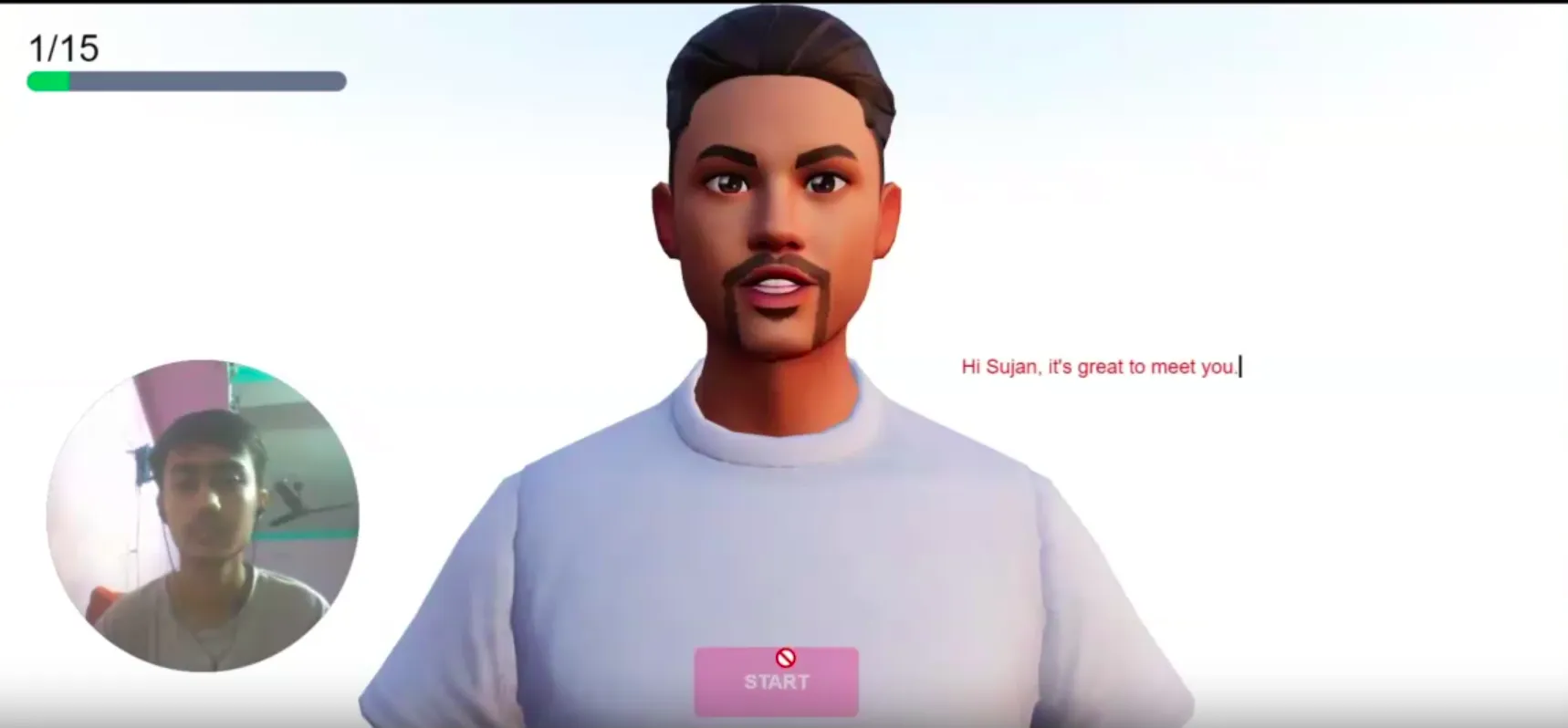
The AI Mock Interview App is a personalized interview preparation tool designed to simulate real-time interview sessions using generative AI. It offers realistic questions tailored to a user’s resume, evaluates answers, and gives actionable feedback to boost confidence and preparedness.
Role
Lead Developer and Designer
Problem
Job seekers—especially students and fresh grads—often face:
- Limited access to realistic interview practice.
- Anxiety due to lack of feedback or unpredictable interview styles.
- Generic resources that don’t provide personalized guidance.
Goal
- Build an intelligent mock interview system with AI-driven questioning and evaluation.
- Make the experience accessible, intuitive, and useful for users across industries.
- Help users improve performance with contextual, actionable feedback.
Solution
Understanding User Needs
- Role-specific questions: Aligned with the job they’re applying for.
- Detailed feedback: Especially on clarity, confidence, and relevance.
- Comfortable UX: A simple, anxiety-free UI for stress-free practice.
Core Features
-
Resume Upload/Builder
AI uses resume context to tailor interview questions. -
Mock Interview Simulation
One-question-at-a-time interaction mimics real interviews. -
Live Evaluation
Feedback after every response on strengths and weaknesses. -
Interview History
Stores past sessions for tracking improvement over time. -
Role Customization
Practice interviews for various job titles (e.g., Developer, PM, Designer).
Design and Development Process
- Frontend: Built with
Next.jsfor fast, SEO-friendly pages. - Styling: Designed with
Tailwind CSSandShadCNfor consistency and speed. - TypeScript: Ensured strong typing across the codebase.
- AI Integration: Used gemini api for generating and evaluating question and answer
- Three.js: Used three js to make the character who to take interview.
- Streaming: Implemented real-time response streaming for fast user feedback.
User Journey
-
Landing Page
CTA to start practicing or upload resume. -
Resume Step
User uploads/builds resume; context extracted. -
Interview Session
One-question-at-a-time experience with response fields and feedback. -
Summary Page
Overall performance and improvement tips shown.
Challenges and Learnings
-
Latency
Streaming answers improved responsiveness significantly. -
Spam Prevention
Guarded against hallucinated or inappropriate AI responses. -
Resume Normalization
Ensuring structured input to deliver tailored and accurate prompts.
Final Thoughts
- AI boosts confidence: Simulated interviews empower users to improve.
- Design matters: A friendly, modern UI helps reduce user anxiety.
- Next steps: Add voice input, job-specific scores, and feedback history.